Health and Medical Services Group
This is HMS LearnHub!
The HMS LearnHub is dedicated for all employees and professional groups.
Need help with corporate learning system?
Mail to support@well-plus.de!

Welcome!
Dear employees,
in this brand new HMS learning world, you can find everything you need to know at a glance about the annual statutory training courses in the areas of occupational health and safety, fire protection, basic life support, hygiene, data protection and radiation protection. You will also receive company and subject-specific training suitable for your professional group.
By using this digital learning environment, you have the opportunity to independently and flexibly carry out the training courses that would otherwise take place in a face-to-face event. You can access the knowledge imparted here at any time and use it for your tasks. Here you can start or continue the course, monitor your learning progress and download the certificate of attendance after successfully completing the final quiz. Please print out this certificate and present it to your supervisor for entry into the duty roster program. The courses must be completed in full within the service period. In exceptional cases, it is possible to complete the course outside of working hours after prior consultation with your line manager.
What do you want to start with?
Priority training courses
Start your training courses, which you and your employer must carry out in accordance with laws and regulations.
Start nowHMS Premium training courses
This is where you start training courses that have to be carried out for you according to the company's specifications.
Start nowSpecialist training courses
Here you will find all the training courses that are mandatory and necessary for you as a specialist.
Start nowImportant documents and portals

Contact person
Reema Essayed
HR Manager
- Password reset
- Quiz attempt reset
- Error messaging
- Check support tickets


Reema Essayed
Quality Manager
- User statistics
- Password reset
- Check groups
- Check certificates
FAQ - Frequently asked questions
You can simply log in with your user name, your personnel number or e-mail address and your password.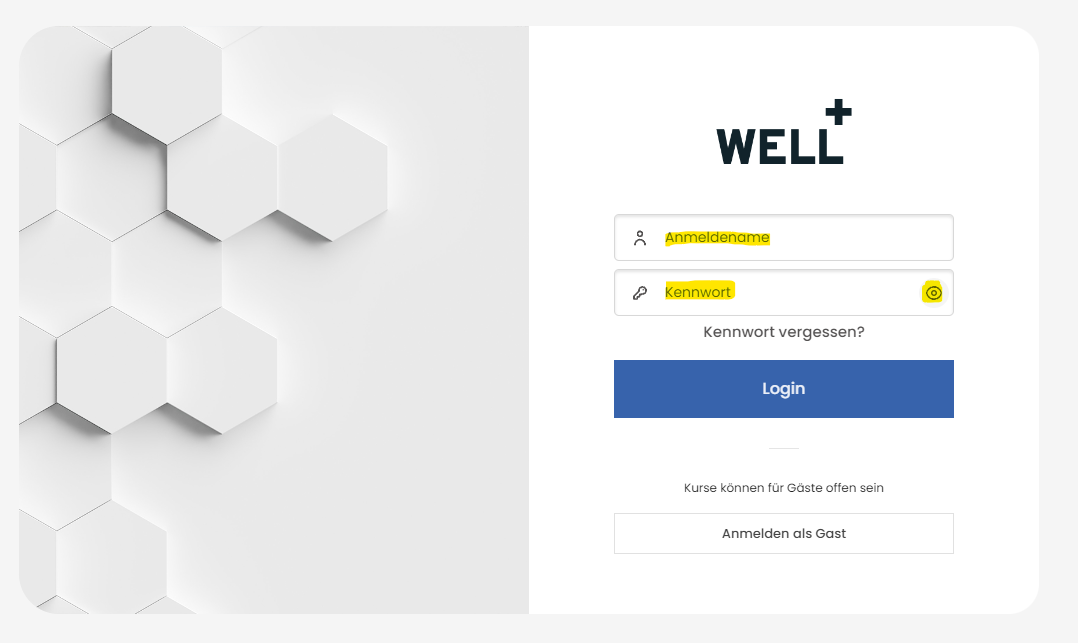
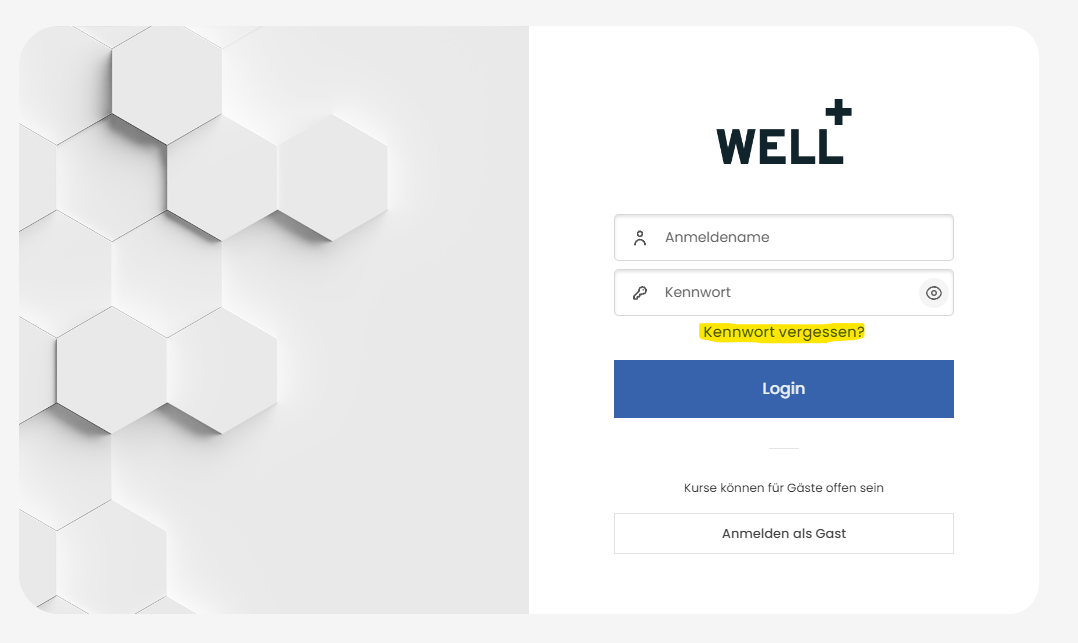
There are these options for you.
- You can get in touch with the contact person. They will give you a new password.
You can click on Dashboard in the top line. Alternatively, you can also access the course overview in your profile.
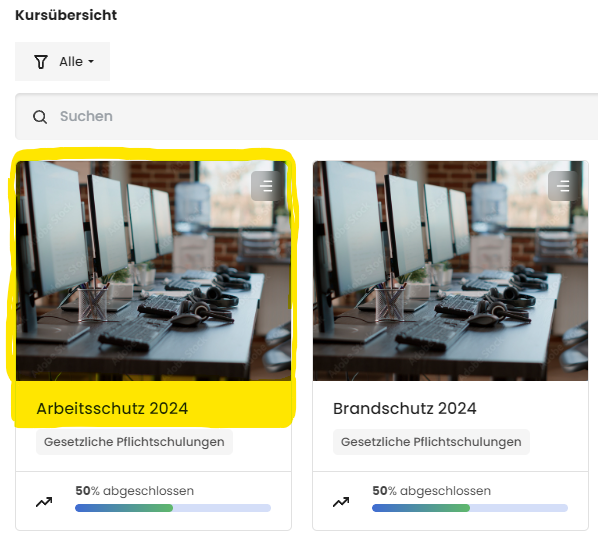
You can call up a training course via the dashboard and then click on the image or the heading.
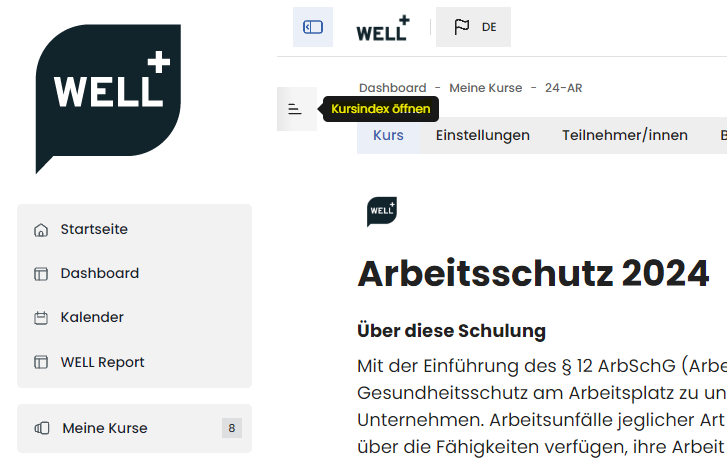
You can click on the course content after the introductory text and the notes on the course.
Alternatively, you can also use the quick course index.
Then click on "Training" to start.
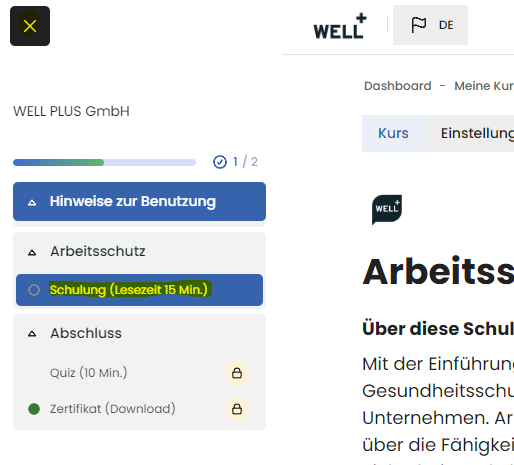
The training courses in the learning platform are all opened in a new window (pop-up) so that you have the entire screen area for learning and viewing.
If the content is not displayed, you have the following options to unblock it.
- Google Chrome
Click on the icon in the top browser line, allow pop-ups and redirects and click on "Done".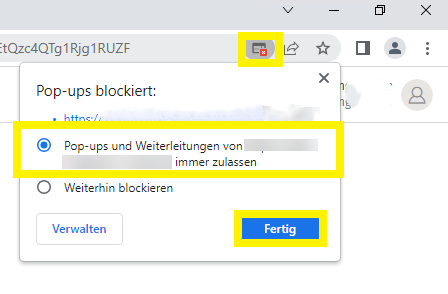
- Microsoft Edge
Click on the icon in the top browser line, always allow pop-ups and redirects and click on "Done".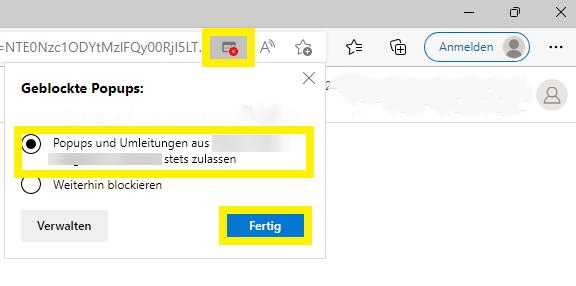
- Mozilla Firefox
Click on the icon in the top browser line, allow pop-ups and redirects and click on "Done".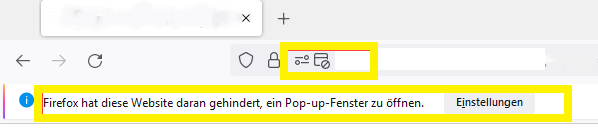
Danach klickst du auf "Pop-ups erlauben".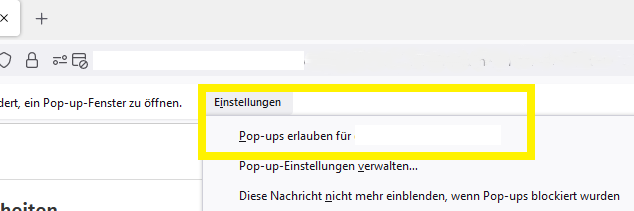
- Apple Safari
Click on the top line of the browser, deactivate the content blocker and allow pop-up windows.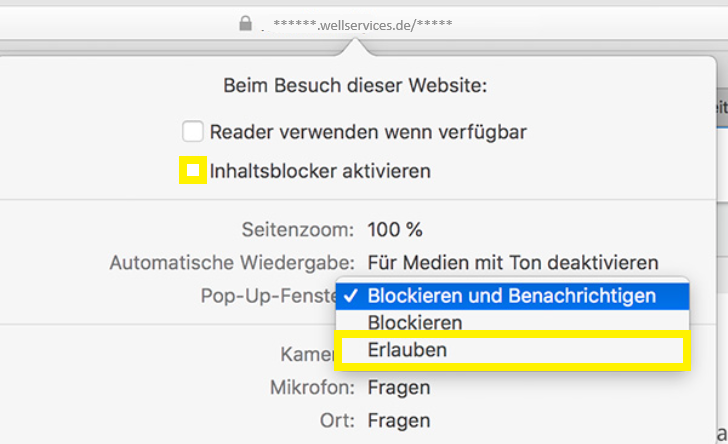
It can happen that you have already opened the pop-up window of the training and then switch to another browser tab.
If you receive this information, you can switch between the tabs with ALT + TAB (Windows) or CTRL + TAB (Mac).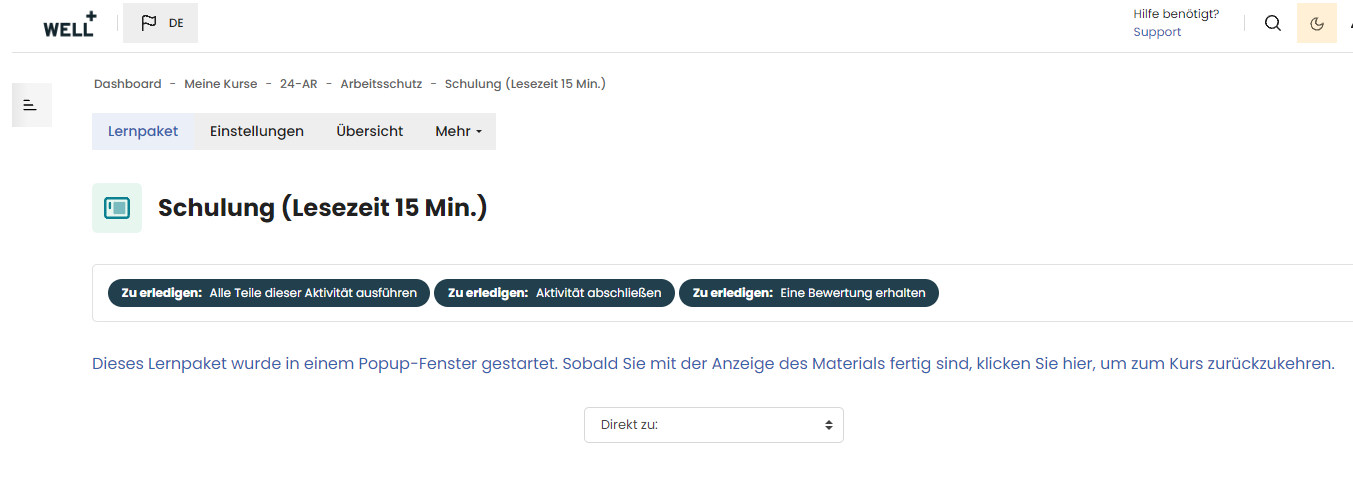
Alternativ kannst du auch alle Browserfenster schliessen und dich nochmal im LearnHub anmelden.
No, all training courses are built in SCORM format and are therefore free of audio content. It is possible that videos with subtitles or without sound may be included for better understanding.
Oops, that can happen. The number of failed attempts is three per quiz.
So that you can try again, contact the person responsible for queries and ask them to delete your failed attempts.
Now you can try again and hopefully have more success.
NOTE: Please read the training content and questions carefully. Then you can't really go wrong.
Congratulations and WELL DONE!
You can now collect your certificate by downloading it to your computer / mobile device under "Completion / Certificate / View certificate".
You can also find all your certificates in your profile under My certificates.
As soon as you have successfully completed all the training content and the quiz and checked your certificate, you will be shown 100% progress.
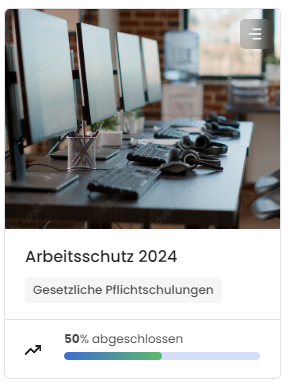
Der häufigste Fehler liegt an der fehlenden Prüfung des Zertifikats. Du musst es anklicken, um es auf Richtigkeit zu prüfen (z.B. die Schreibweise deines Namens).
Dazu klickst du das Zertifikat (Download als PDF) an, lädst es auf deinen Rechner oder Mobilgerät herunter und prüfst es. Nun sollte die entsprechende Schulung 100% anzeigen.
HINWEIS: Manchmal kann es vorkommen, dass Schulungsinhalte durch Gesetzesänderungen stark verändert werden müssen. Dadurch wird ein neues Quiz gestartet. Du kannst dann nicht mehr 100% erreichen. In den Hinweisen zum Kurs stehen dann Informationen zu der Prozentangabe.
You are welcome to contact WELL Plus support and open a support ticket.
Simply click on "Support ticket" and enter your contact details and the name of your company in the email. We will then take care of you as quickly as possible and get in touch with you. This can be done by e-mail or phone call. For a call, please enter your callback number where you can be reached.
Schedule 2024
Would you like to take part in a live event? Then register here by e-mail:
eLearning
- Work safety
31.12.2024 - Fire safety
31.12.2024 - Data protection
31.12.2024 - First aid
31.12.2024 - Hygienic training
31.12.2024 - Radiation protection
31.12.2024
Workshops
- Occupational safety guards
01.06.2024 - Fire safety and rescue exercise
01.05.2024 - Data protection bootcamp
01.11.2024 - First aid officer training
05.06.2024 - Hygienic audit
08.07.2024 - Radiation safety audit
15.10.2024